Introduction
Today, when I was testing a new feature at work, I realized it's almost a textbook test design trainer. Of course, I decided that the testing process would be super useful and interesting for beginners to get a taste of bugs.
I'll remind you that test design techniques are basic strategies for designing tests that correspond to standard quality criteria for any product. Testers use test design techniques to build the logic for creating test cases and performing direct product testing.
Test Item Description
At first, everything looked rather simple and no bugs were foretold.
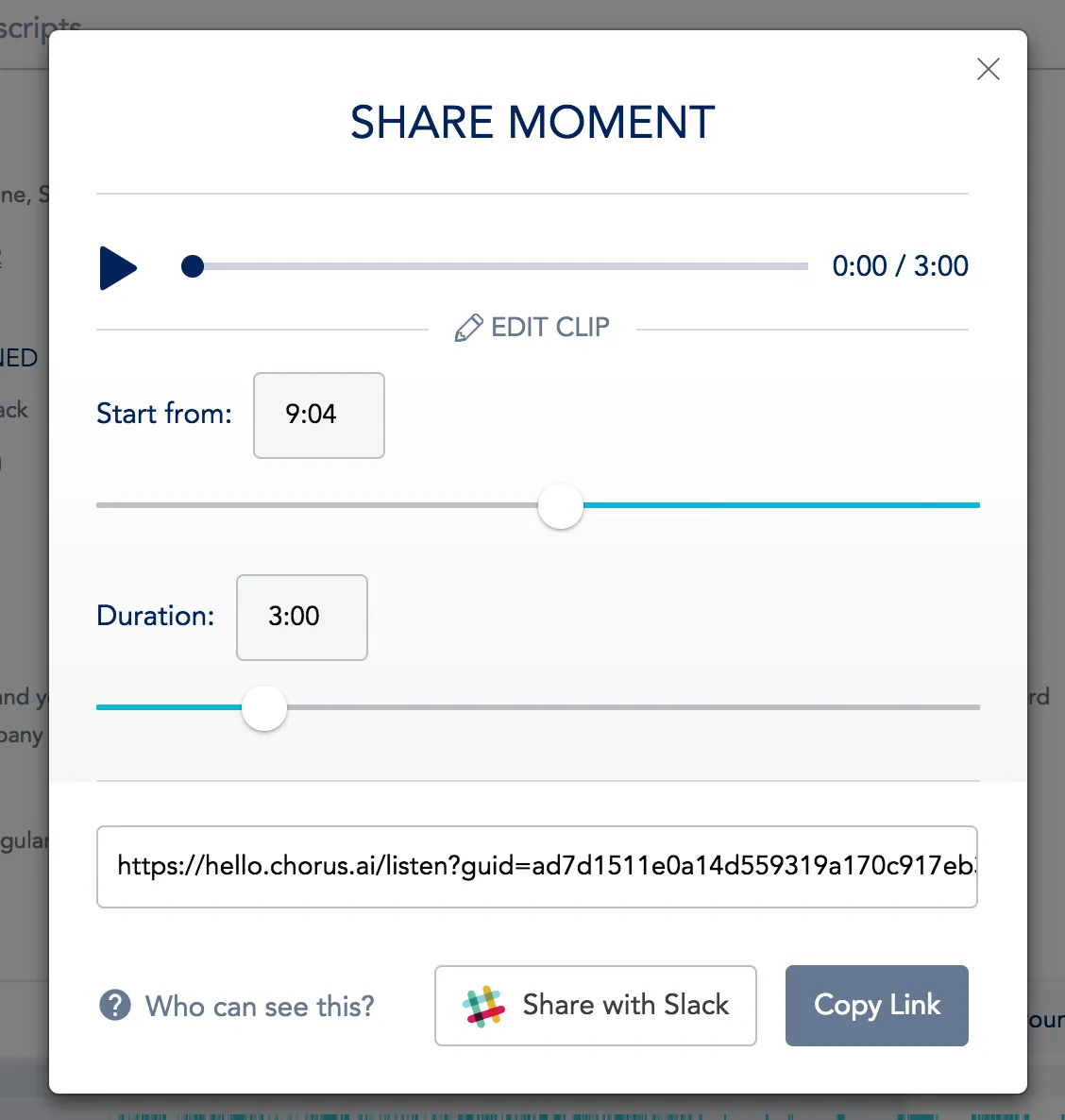
The feature is called Add Edit to new Sharing Modal and represents a popup that allows you to trim a conversation recording by time and generate a link to share it.
Initial popup state: you can simply share 3 minutes of recording starting from the selected moment.
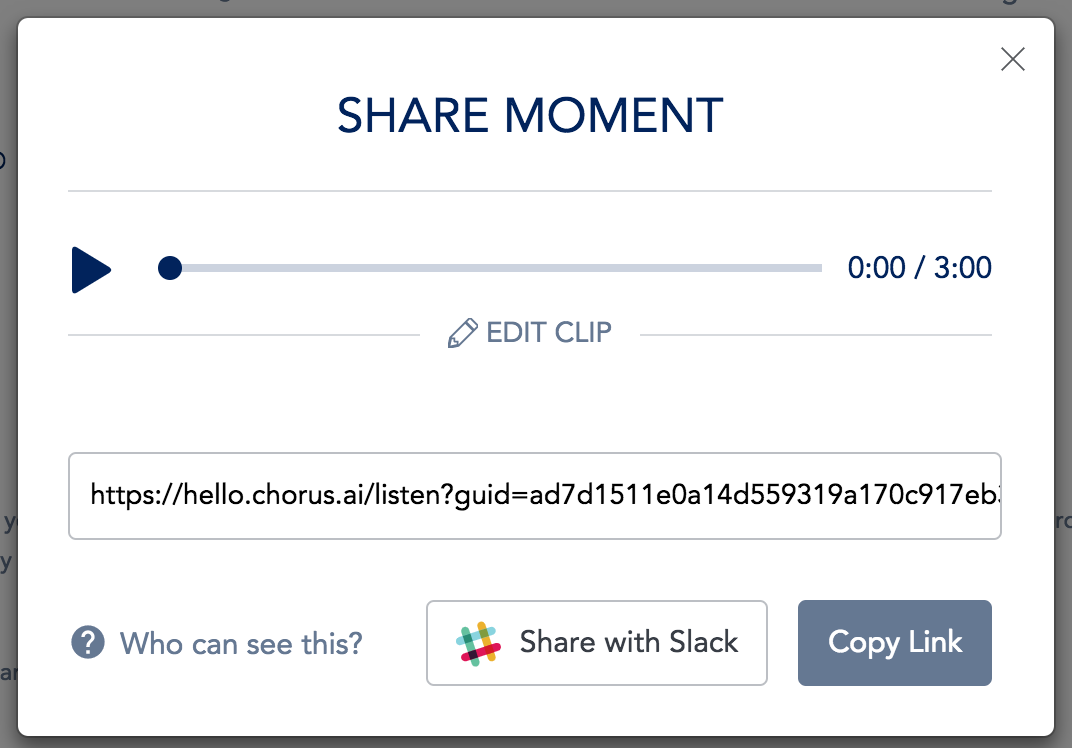
Extended popup state: you can change the start of the recording and its length by sliding the slider. The upper slider is a player where you can listen to and rewind the extracted fragment.
You can listen to the result of the clip. Example of a shared conversation fragment:
https://hello.chorus.ai/listen?guid=b812f37da7d74b87a703c049301066d3
Glossary
start from - start with
duration - duration
share moment - share a moment (record)
Copy link - copy link
Let's move on to describing the testing process
We'll consider the found bugs using the test design methods that were applied to identify them.
Boundary Value Analysis
It doesn't matter what the length of the selected record is for extracting a fragment, we check for changes at the beginning of the record at 0.
Found defect:
When changing the start time from a non-zero value to zero, instead of 0:00, a random non-zero number is set each time.
Steps:
share a new recording moment
- move the start of the recording to 0:39
- move the start of the recording to the minimum
check the timestamp
Actual result:
time timer is not 0, but for example 0:19
Expected result:
Timer is set to 0:00
A strange bug occurs because the time recalculation is not tied to the start of the recording, but to the start of the selected fragment
Equivalence Partitioning
We check playback of the recording when all three sliders are in positions greater than the middle and less than the middle. We have 3 sliders, and for each we check 2 positions, resulting in 2 x 3 = 6 tests.
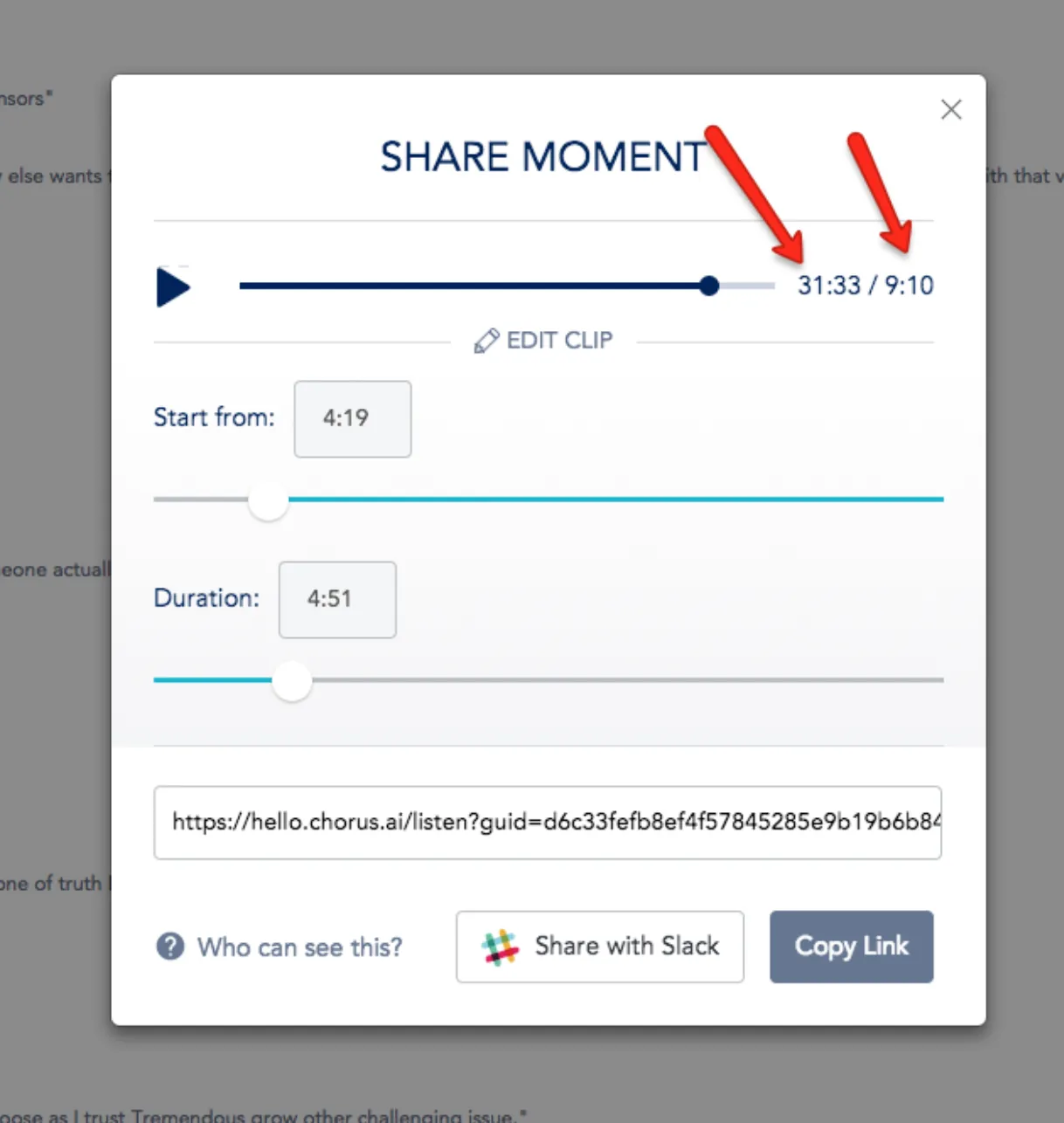
We found an interesting bug — when scrolling through a cropped fragment, the playback time becomes longer than the length of the recording itself.
Steps:
share a new recording moment
Set the start of recording to the first half
Set the duration by value, longer than the start value (4:51 > 4:19)
Scroll the recording to the end of the fragment, play different positions at the end
Actual result:
Starting from a certain point, the timer position at the end of the recording becomes much larger than the length of the recording
Expected result:
Timer position cannot exceed the length of the recording
Cause and Effect
Reason - changes to the fragment settings during editing
The outcome - a ready fragment should change for the end user
Found defect:
When changing an already opened fragment, the changes are not compiled by the server;
Steps:
Share a new recording moment
Change the initial time to any non-standard
Change the duration to any non-standard
Open the link in incognito mode (as a system user)
Go back to the edit page and update the duration
Copy link
Reopen and check
Actual result:
The recording hasn't changed
Expected result:
The record was updated after the changes were made
As it turned out, the modified link is no different from the previous one, which is why we log a bug
Predicting an Error
At the end, when all mathematically justified tests are completed, I predict what may happen when parameters are changed on the fly.
In this case, there is a suspicion that if you change the recording parameters during playback, the player will behave in an inadquate manner;
Found defect: after changing the track parameters during playback, the player starts turning the recording on and off automatically.
Steps:
Share a new recording moment
Play the recording
Change the start time and duration of the recording
Rewind the recording
Actual result:
When rewinding, the recording randomly turns on and off
Expected result:
The recording is always playing back? Need a solution from the product manager
Here it's clear that when changing the recording parameters, the player gets new data that doesn't match the previous ones, and it starts going crazy. The fix for this bug was to always stop the recording and go back to the very beginning when the parameters are changed.
Exhaustive Testing
In this example, it was used indirectly. For example, each scroll track bar was clicked/scroll along its entire length to make sure it was fully clickable.
This bug detection method didn't find anything.
During testing, other bugs were also found, but we decided not to burden the esteemed reader with them and instead provided only one bug example for each methodology.
We really hope these visual examples will help you understand test design techniques and learn to apply them in practice.
Galaxy QA Academy - Testing is only understood through practice!
#TestingCourses #FunctionalTesting #GalaxyQAAcademy #SoftwareTestingTraining #QA #PracticalTesting #HowToBecomeATester #SoftwareTesting #LearnToTest #TestingDesign #LearnToFindBugs #HowToFindBugs #TestingTraining #QACourses #TestingProcess #HowToTest